 FORGE
Forge TV / Features
What Forge TV offers
Everything Forge TV can do
Built around a TV remote, Forge TV brings live channels, a readable programme guide, a movie library and match information into one Android app. Jump to a section below, or download it and try it with your own playlist.
Download Forge TVRemote-control guideLive TV and programme guide
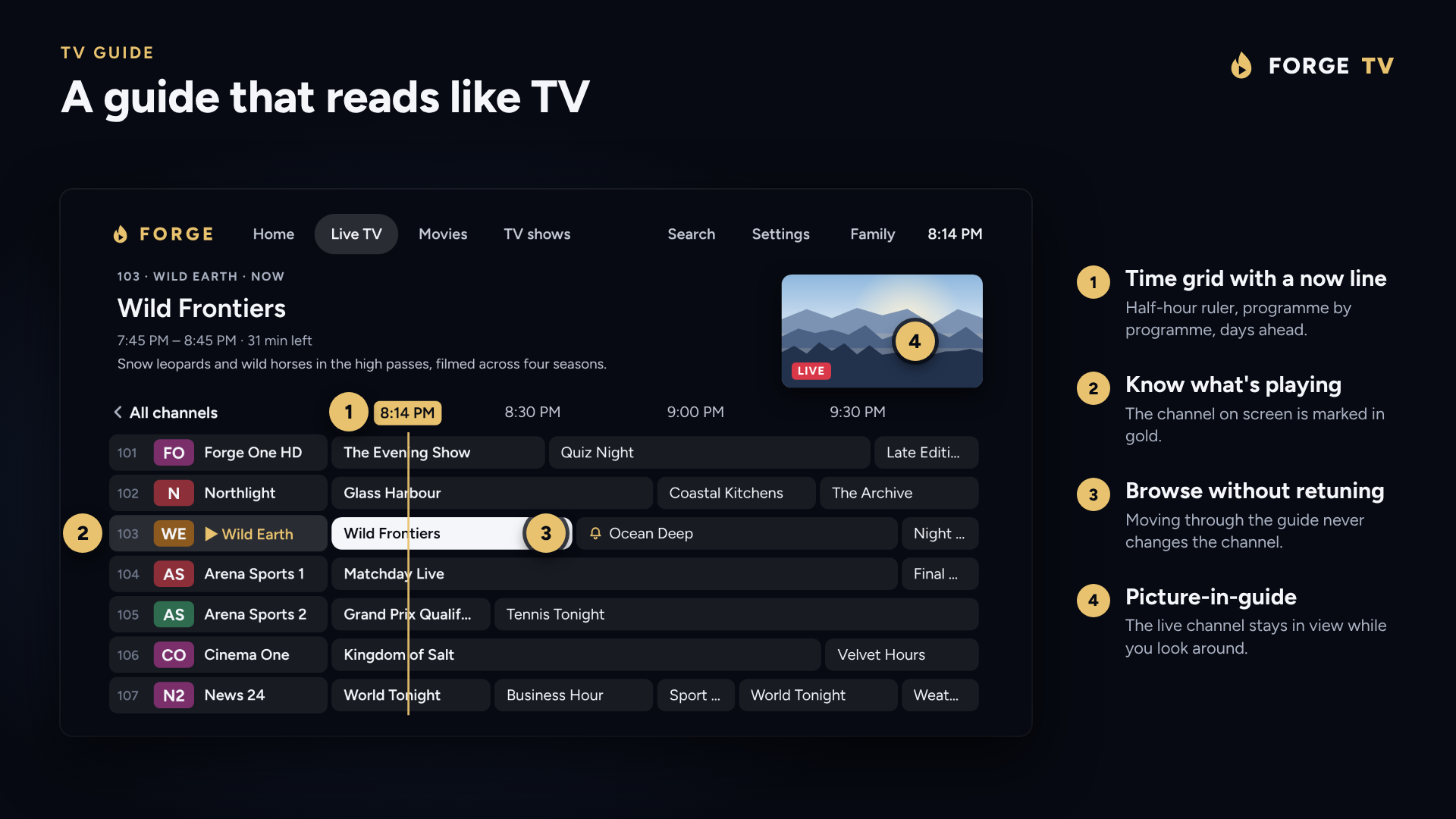
- Time-grid guide with a now line, or a simpler Now and next view
- Categories, favourites and recently watched, plus one search for channels, programmes, movies and shows
- Voice search: press the microphone key on the remote and say a channel or programme
- Guide listings from your playlist's XMLTV guide, a second guide for channels it misses, and a time offset for listings in the wrong time zone
- Choose the guide channel by hand when a channel shows the wrong listings
- Number keys, Channel up and down, Last channel and an info banner, like a normal TV
- Catch-up and Start over on channels whose provider keeps an archive
- Programme reminders that prompt you when a show is about to start, with the option to change channel for you
- Very large playlists with tens of thousands of channels
Home screen
- Opens on Home, with the channel you were watching beside a live preview and what is on now
- Continue watching for movies and episodes, with progress, resume, start over and remove
- Favourite channels and Recently watched rows
- Recommended series and movies based on what each profile watches
Movies and TV shows
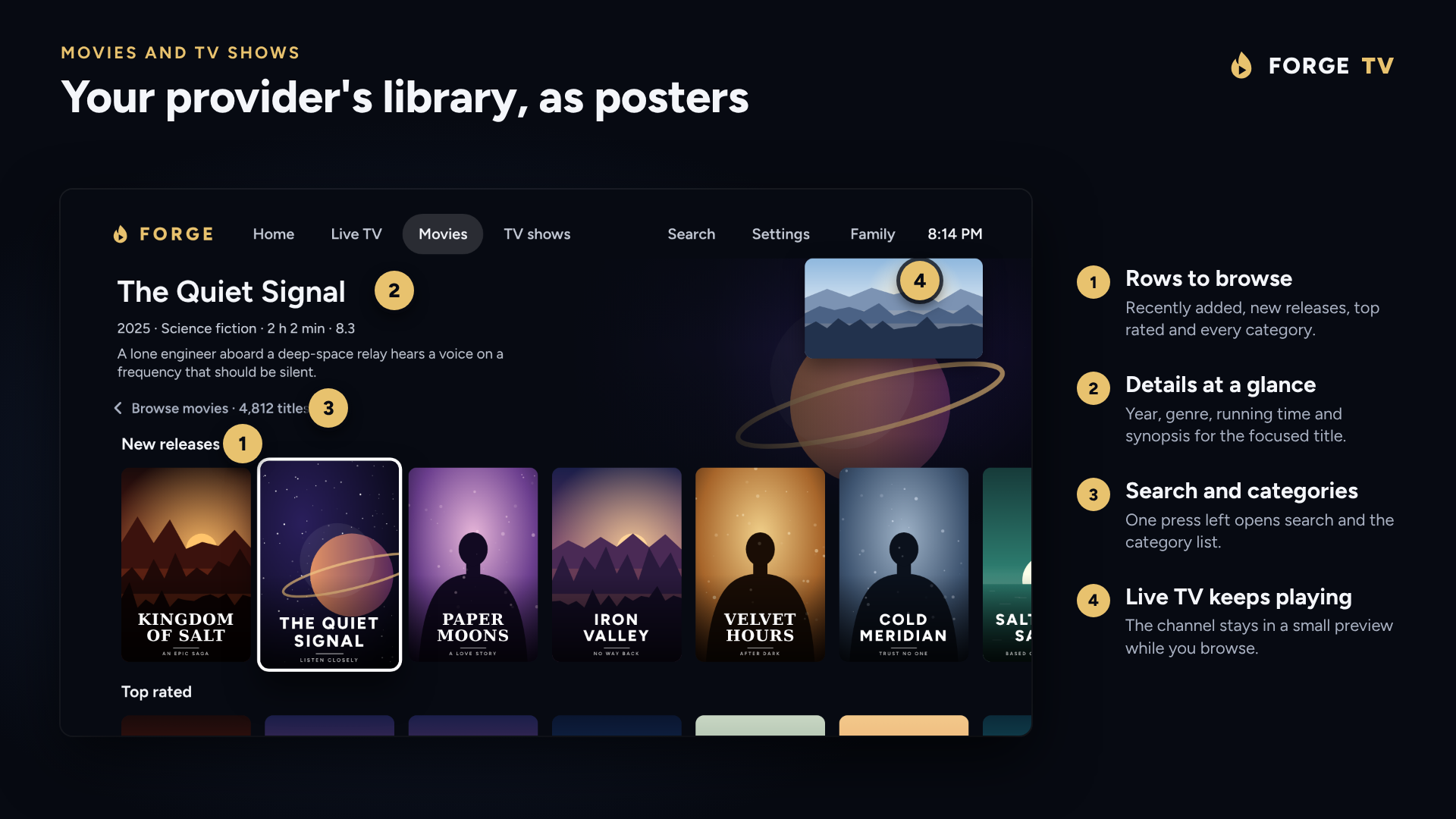
- Your provider's library as rows of posters: recently added, new releases, top rated and every category
- A full page for each title with logo, backdrop, age rating, picture quality, cast, director and a Trailer button when available
- TV shows open on a page with seasons and a single button that carries on from the next episode
- Skip intro on episodes where the intro has been timed, and Up next over the credits
- Mark watched or unwatched, with an Unwatched only switch to hide finished titles
- Missing synopses filled in from TVmaze or Wikipedia, and TMDB ratings labelled as such
- Tidy names strips provider tags such as UK |, [VIP] and release labels from titles
Sports
- Sports tab listing each sport's games for the next week, with the channels in your guide showing each one
- Follow leagues and teams, and see them together under My favourites
- Rank preferred channels so a live game tunes the best one automatically
- Game reminders that prompt you at the start, 5 or 15 minutes before
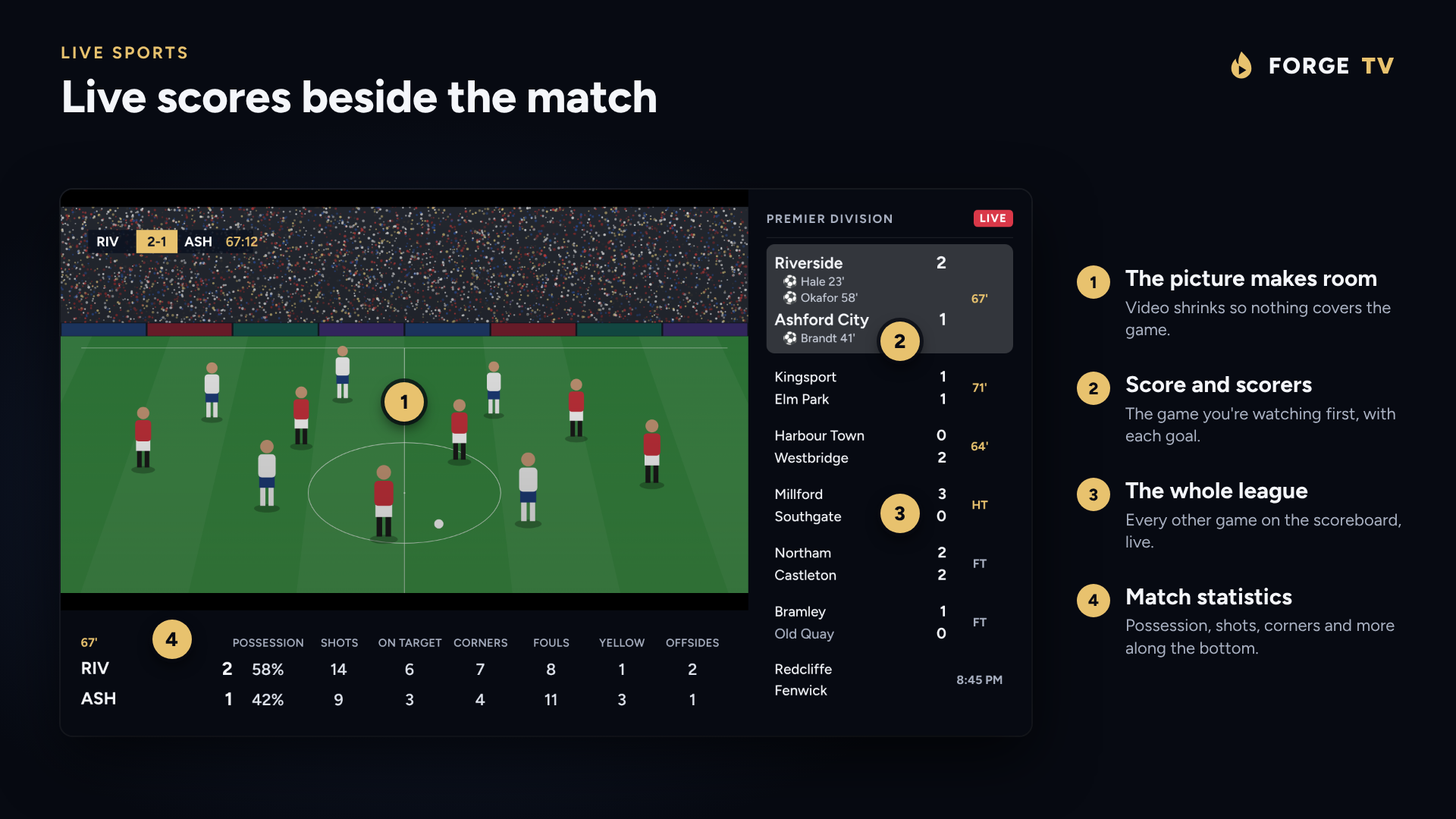
- A live sports screen that shrinks the picture to show scores, scorers and match statistics beside a channel
- Score delay so results don't spoil what you haven't seen yet
- Jump to another channel showing the same game
Playlists and sources
- M3U or M3U8 links and files, Xtream Codes logins and Stalker (Ministra, MAG) portals
- Several playlists at once, each with channel count, last update and a status light showing whether the server answers
- Xtream logins are checked before they are saved
- Choose a default playlist for Live TV and another for movies and shows
- Your own groups can gather channels from every playlist
- Rename, hide, reorder and lock channels and categories, and keep those changes when a playlist refreshes
- Live stream type, MPEG-TS or HLS, set for each playlist
Player controls
- Hold Down on live TV to open the player options bar. On a movie or episode, press Down or hold OK.
- Audio and subtitle track menus with plain names, remembered per film and per series
- Audio sync, playback speed from 0.5x to 2x, and preferred audio and subtitle languages
- Subtitle looks including High contrast and Large print, with size, colour and background
- Picture size: Fit, Zoom or Stretch, for everything or per channel
- Picture in picture and multiscreen with up to four live channels
- Match frame rate, a sleep timer and playback details for diagnosing jerky video
- Open a channel in another player such as VLC or MX Player
- Dolby and DTS passed to a soundbar, or decoded on the TV
- Fast channel changes, automatic reconnection when a stream drops, and a last channel that starts as soon as the app opens
Sync and backup
- Sync between TVs through one encrypted file in your own storage: Dropbox (in a private app folder) or a WebDAV server such as Nextcloud or a NAS
- The file is locked with your passphrase before it leaves the TV, so the server never sees your playlist logins. A recovery key is shown once at set-up
- Sync when the app opens, or Sync now. Changes from another device are only taken when nothing is playing
- Backup to one file with playlists, settings, favourites, channel changes, profiles and Continue watching
- Restores are checked in full before anything changes, and an interrupted restore is finished or undone on next start
Remote and phone companion
- Pair a phone by scanning a QR code on the TV. Nothing to install: it opens in the phone's browser
- Add playlists, change settings, reorder favourites and show or hide categories from the phone
- Pairing uses a code shown only on the TV, and paired phones can be unlinked at any time
- Remote buttons: give the red, green, yellow and blue buttons, or any button you press, a job on live TV
- Works on phones, tablets and VR headsets by touch, mouse or pointer
- TalkBack support throughout the guide, forms and player
Customisation and profiles
- Profiles with their own favourites, recently watched and Continue watching, with an optional Who's watching? at start-up
- Parental PIN that locks categories out of the guide, search and channel changes
- Icon or word menus, guide channels as logo, name or both, and five steps of menu opacity
- Open the app when the TV starts, and give the TV a custom name
- Live TV can open on a chosen category
Privacy and updates
- Playlists, logins, favourites and guide data stay on your TV, and channels play straight from your provider
- Forge TV runs no servers for your data and needs no account
- The parental PIN is stored as a salted hash
- Updates are offered inside the app. Releases are signed with the same key, so they install over your current version and keep your playlists, profiles and settings
- Forge TV is a player only. It contains no channels or streams
Bring your own content. Forge TV is a playback app, not an IPTV subscription provider. It contains no channels or streams. Catch-up and Start Over depend on your playlist provider.
Download Forge TVSet it up